Creating Auditoriums Manually
You will need at least one Auditorium in which to schedule Showtimes.
To create Auditoriums, first head to Scheduler > Auditoriums in your admin dashboard.
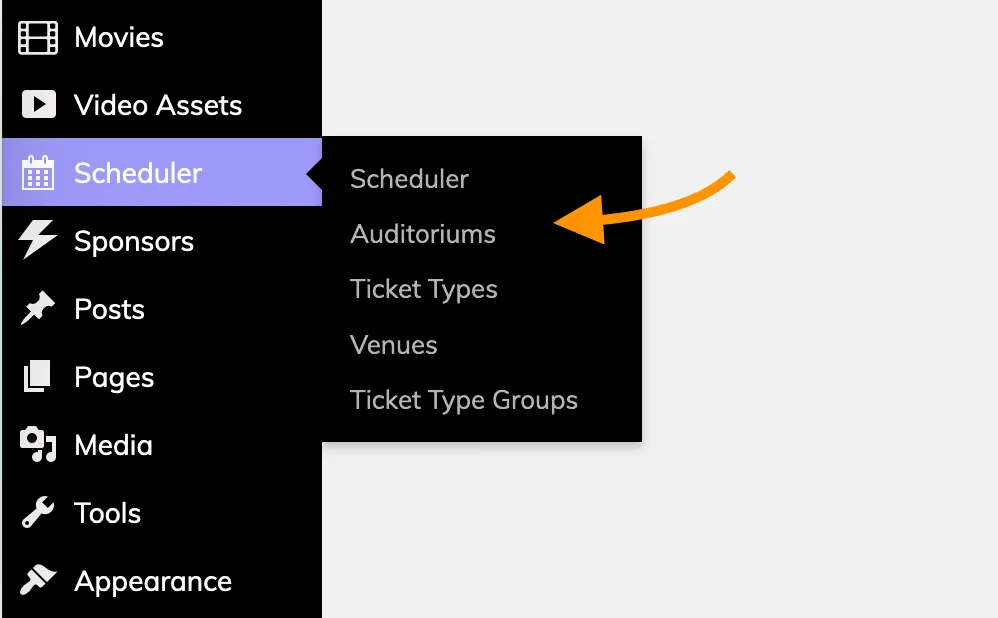
This will bring you to the Auditoriums admin list page, where you can edit existing Auditoriums or add a new one by clicking the "Add New" button next to the header.

Auditorium Details
The following details can be specified on Auditoriums:
- Description - A brief description of the auditorium. Displays on checkout if you have the option enabled under Settings > Website > Checkout.
- Capacity - This is the maximum number of tickets that can be sold for each Showtime scheduled in the Auditorium.
- Screen Number - Displays on showtimes in the Box Office app, and in the Scheduler.
Attaching an Auditorium to a Venue
You can specify a Venue that the Auditorium belongs to from the Venue box at the bottom of the Auditorium editor.