Setting Up Geoblocking
Note: Please contact Filmbot Support if you would like the Geoblocking feature enabled on your site.
Geoblocking lets you limit purchases and views of showtime tickets or rental passes to one or multiple geographic regions. The settings are configured on the individual Show and apply to all showtimes and rental passes connected to that Show.
Geoblocking Methods
There are two methods of Geoblocking: Allow, and Block. The behavior of these methods is simple:
- Allow: The content is only available to people who live in the specified regions, and is notSponsor Levels available to anyone else.
- Block: The content is available to everyone, except for those who live in the blocked regions.
Adding Geoblocking to a Show
A "Show" could be a Movie, Program, or Special Event. All support Geoblocking. If you want to add Geoblocking to one, simply navigate to the Show's editor in your Dashboard, and scroll down until you find the Geoblocking section. By default, the Geoblocking option will be set to "Off".
If you set this option to "Allow" or "Block", the rest of the Geoblocking options will show up. Some of these options will reflect the Geoblocking mode you chose. For example, if you choose "Allow", then you'll see "Countries to Allow", but if you choose "Block", you will see "Countries to Block".
Countries to Allow/Block
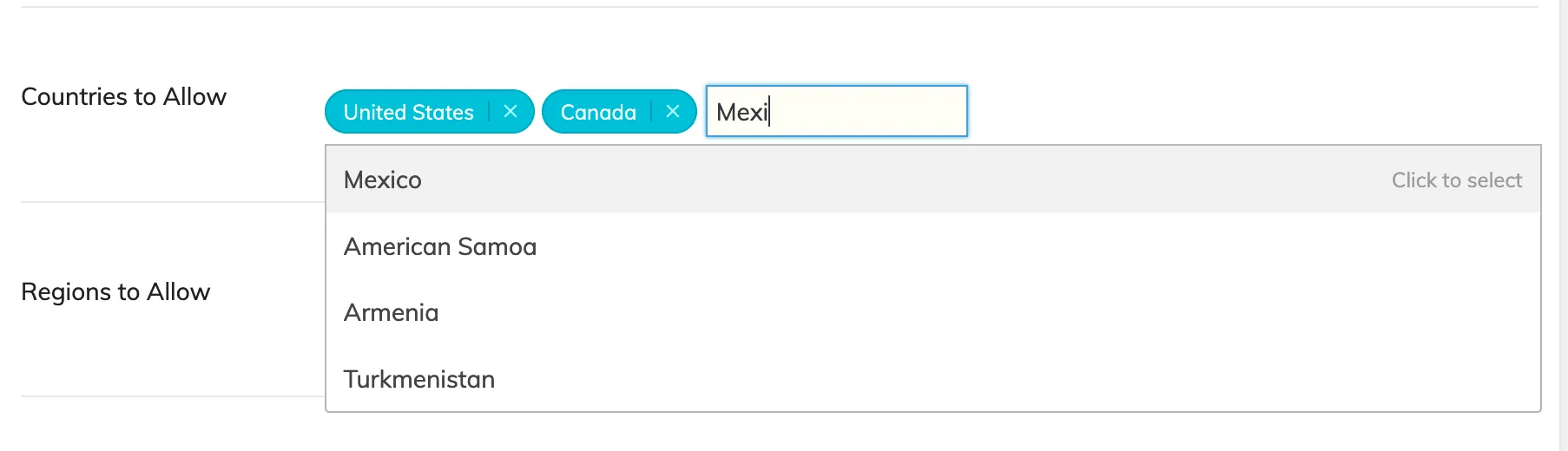
This is where you can specify countries to allow/block. You can choose countries from the dropdown, filter the dropdown options by typing, and can add multiple countries.
Regions to Allow/Block
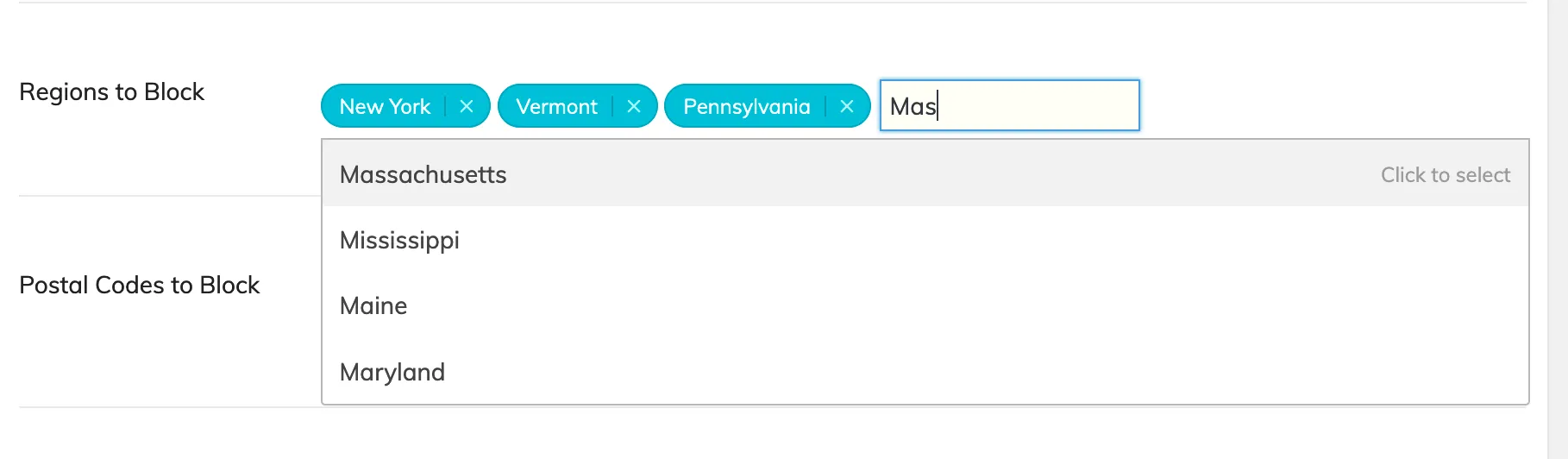
In the United States, "Regions" are States. Just like with Countries, you can choose States from the dropdown, filter by typing, and add multiple States.
Postal Codes to Allow/Block
The Postal Codes input is a bit different from the Regions and Countries inputs. Instead of a dropdown of pre-defined values to choose from, you can manually specify a comma-separated list of Postal Codes to either Allow or Block.
Important: Please keep in mind that blocking by Postal Codes may be a bit inaccurate depending on an area's Internet Service Providers (ISPs) and the specific ISP a visitor is using.

Not Allowed Message
When visitors attempt to access content they are Geoblocked from accessing, they will be met with a message that says, "This content is not available in your region."
To change this message, use the Not Allowed Message field.